
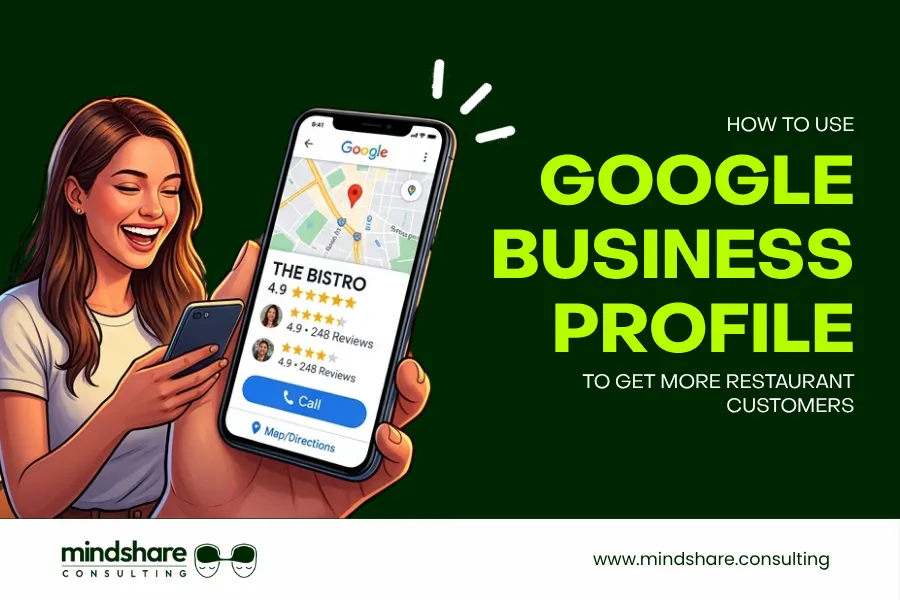

When someone in your city searches for “best pizza near me” or “restaurant open now,” the first thing they see is not a website. It is Google. Specifically, it is the Google Maps 3-Pack: the three local restaurant listings that appear at the very top of search results, complete with photos, ratings, reviews, and a direct link to call or book a table.
If your restaurant is not showing up there, you are invisible to the most high-intent customers in your city people who are actively looking to eat right now.
The good news? Google Business Profile (formerly Google My Business) is completely free, and optimizing it is one of the highest-ROI actions any restaurant owner can take. This guide walks you through exactly how to use Google Business Profile for restaurants to dominate local search, earn more reviews, and fill more tables without spending a single rupee on ads.
According to a study by BrightLocal, 98% of consumers used the internet to find information about a local business in 2023. For restaurants, that search almost always starts on Google.
Looking for a complete digital marketing strategy for your restaurant? Visit Mindshare Consulting to see how we help restaurants grow online.
Why Google Business Profile Matters for Restaurants
Before diving into tactics, here is the reality: over 90% of people look up a restaurant online before visiting. And on Google, the first thing they encounter is your Business Profile, not your website, not your Instagram.
A fully optimized Google Business Profile for restaurants helps you:
- Get visible in Google Maps and the Local 3-Pack
- Display your menu, photos, hours, and contact details instantly
- Show your star rating and customer reviews front and center
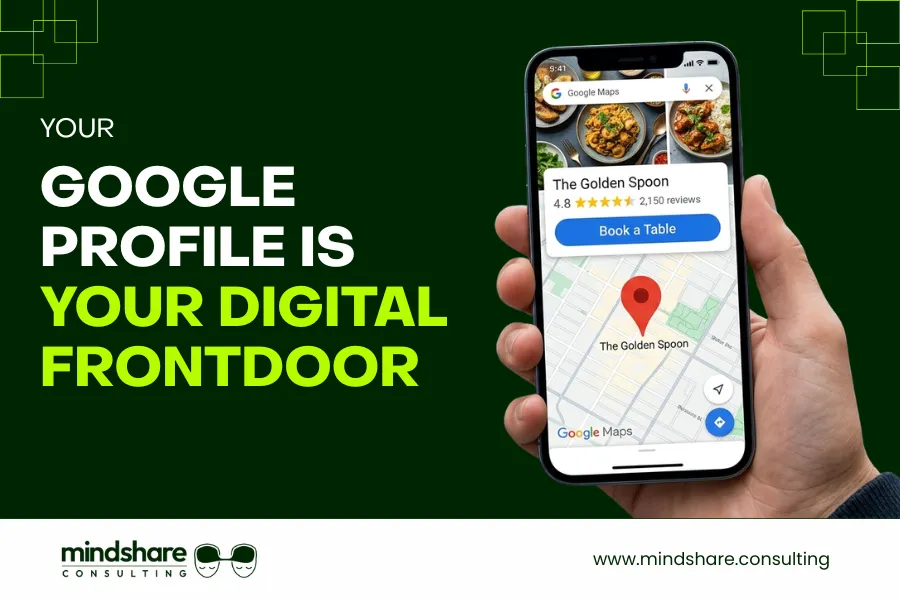
- Let customers call, get directions, or book a table in one tap
- Rank higher than competitors who have neglected their profile
According to Google’s Business Profile Guide, businesses with complete profiles are twice as likely to be considered reputable and receive significantly more direct requests and calls than incomplete listings. For restaurants, every click is a potential customer walking through your door.
Step 1: Claim and Verify Your Google Business Profile
If you have not already, the first step is claiming your listing. Go to business.google.com and search for your restaurant. If it exists (Google often auto-creates listings), claim it. If not, create one from scratch.
How to Verify Your Google Business Profile
Google will verify your business by sending a postcard with a PIN to your restaurant address. This typically takes 5 to 7 business days. Once verified, you gain full control over your profile.
What to Complete Immediately After Verification
- Business name (exactly as it appears on your signage)
- Full address with correct pin code
- Phone number (local number preferred)
- Business category set your primary category as “Restaurant” and add specific secondary categories like “Indian Restaurant,” “Pizza Restaurant,” or “Seafood Restaurant”
- Website URL
- Opening hours including holiday hours
Pro Tip: Use your exact legal business name. Do not stuff keywords like “Best Biryani in Mumbai” into your business name. Google penalizes this and it can lead to your listing being suspended.
Step 2: Optimize Every Section of Your Google Business Profile for Restaurants
Most restaurants claim their profile and stop there. The ones that consistently appear in the top 3 results have taken the time to complete every single section. Here is what to focus on.
Business Description
Write a 250-word description that naturally includes your focus keywords. Mention your cuisine type, location, specialties, ambiance, and what makes your restaurant unique. Example: “Situated in the heart of Austin, The Spice Room is an award-winning Texas restaurant known for its slow-cooked curries, tandoor breads, and curated cocktail menu. Whether you are planning a family dinner, a business lunch, or a romantic evening, our warm interiors and attentive service create an experience beyond just a meal.”
Profile Attributes
Google lets you add specific attributes to your profile. Enable every relevant attribute:
- Dine-in / Takeaway / Delivery
- Outdoor seating / Rooftop / Private dining
- Wheelchair accessible
- Accepts reservations
- Live music / Sports screening
- Vegetarian-friendly / Vegan options / Halal / Jain options
These attributes appear directly on your listing and influence both search rankings and customer decisions.
Service Area
If you offer delivery, define your service area clearly. This helps your profile appear in searches from people in nearby neighborhoods even if they are not right outside your door.
Step 3: Upload High-Quality Photos to Your Google Business Profile
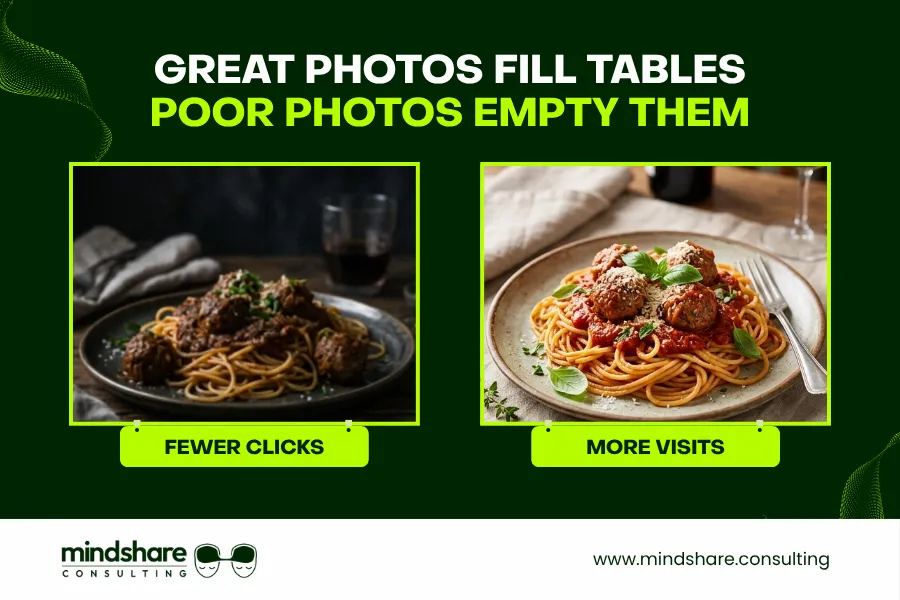
Photos are the single most powerful element of your Google Business Profile for restaurants. According to Google, businesses with photos receive 42% more requests for directions and 35% more clicks to their websites than businesses without photos.
Photo Categories Every Restaurant Must Cover
Food Photos
Your signature dishes, plated beautifully. Natural light, real presentation. This is the most important photo category. It should make people hungry the moment they see it.
Interior Photos
Dining room, bar area, ambiance. Show the experience, not just the food.
Exterior Photos
Your storefront, signage, entrance, and parking. This helps customers find and recognize you.
Team Photos
Chef at work, warm staff interactions. Builds trust and personality behind the brand.
Menu Photos
Upload your full menu as photos. Many customers browse menus on GBP before deciding to visit or call.
Events and Specials
Festive decorations, live music nights, special plating for occasions.
Pro Tip: Add new photos at least twice a week. Google’s algorithm rewards fresh activity. Consistent photo uploads signal that your restaurant is active, which directly improves your ranking in local search results.
Step 4: Build a Strong Google Reviews Strategy for Your Restaurant
Reviews are the single most influential factor in both your Google ranking and a new customer’s decision to visit. A restaurant with 200 reviews at 4.4 stars will consistently outperform one with 10 reviews at 4.9 stars both in search visibility and customer trust.
According to BrightLocal’s Local Consumer Review Survey, 97% of consumers read online reviews for local businesses, and restaurants are among the most reviewed business categories globally.
How to Get More Google Reviews for Your Restaurant
- Ask at the right moment when the customer is leaving happy, not mid-meal
- Train your staff to say: “We’d love it if you left us a review on Google — it really helps us”
- Place a small QR code card on every table that links directly to your Google review page
- Add the review link in your WhatsApp Business messages after a delivery or reservation
- Include the review link in your post-meal email or SMS if you collect contact details
- Run a monthly “Thank You” story on Instagram reminding followers to leave a review
How to Respond to Google Reviews
- Responding to reviews both positive and negative is one of the most underutilized tactics in Google Business Profile optimization for restaurants.
- Positive reviews: Thank the customer by name, mention a specific dish or detail they referenced, and invite them back. This shows new visitors that you are engaged and appreciative.
- Negative reviews: Respond calmly and professionally within 24 hours. Acknowledge the issue, apologize sincerely, and offer to make it right offline. Never argue publicly. Your response is read by thousands of potential customers, not just the reviewer.
- Key Insight: Google’s algorithm factors review velocity (how frequently you get new reviews) and recency (how recent they are) into your local ranking. A consistent stream of new reviews matters more than a one-time surge.
Step 5: Use Google Posts to Promote Your Restaurant Offers and Events
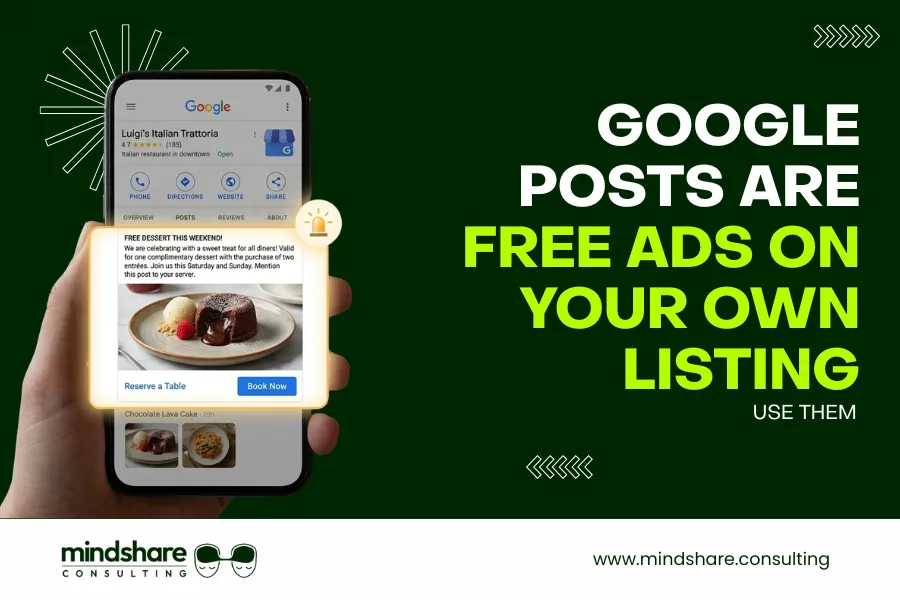
Most restaurant owners do not know that Google Business Profile for restaurants has a built-in posting feature — and it is completely free. Google Posts appear directly on your listing in search results and on Google Maps, giving you prime real estate to promote without paying for ads.
Types of Google Posts for Restaurants
What’s New Posts
Share a new dish, ingredient story, or general update about your restaurant.
Offer Posts
Promote a specific deal “30% off all starters this Saturday” with a start and end date.
Event Posts
Announce a themed dinner, live music night, or festive menu with the date and a reservation link.
Product Posts
Highlight a signature dish with its name, photo, description, and price.
Each post stays live for 7 days. Offer and Event posts stay until the date passes. Post at minimum once a week to keep fresh, visible content on your listing.
Pro Tip: Add a clear Call-to-Action button to every post — “Book Now,” “Order Online,” or “Learn More” — linked directly to your reservation page or online ordering platform. This turns passive viewers into active customers.
Step 6: Add and Optimize Your Menu on Google Business Profile
Google allows you to upload your menu directly to your Business Profile. This is an often-missed opportunity. Customers browsing local restaurants on Google Maps can read your full menu without ever visiting your website.
How to Add Your Restaurant Menu to GBP
- Go to your GBP dashboard and select “Edit Profile”
- Navigate to the “Menu” section
- Add menu sections (Starters, Mains, Desserts, Beverages, etc.)
- For each item, add the dish name, description, and price
- Alternatively, link directly to an online PDF or menu URL
Additionally, upload your physical menu as photo images in the Photos section. This gives customers the complete picture. They can browse your offerings visually before deciding to visit or call.
Step 7: Use the Q&A Section to Pre-Answer Customer Questions
The Q&A section of your Google Business Profile for restaurants is publicly visible and allows anyone including you to ask and answer questions. Many restaurant owners ignore this entirely, leaving unanswered questions (sometimes with inaccurate crowd-sourced answers) visible to potential customers.
How to Take Control of Your GBP Q&A Section
- Proactively add the 10 most common questions customers ask you and answer them yourself
- Monitor the section weekly for new questions and respond within 24 hours
- Flag and report any inaccurate answers posted by others
Questions Every Restaurant Should Pre-Populate
- Do you take reservations? How far in advance?
- Is parking available?
- Do you have vegetarian / vegan / Jain / halal options?
- Do you offer home delivery or takeaway?
- What is the average cost for two?
- Is the restaurant family-friendly?
- Do you host private events or corporate dinners?
- What are your peak hours and when is the best time to visit?
Key Insight: Google’s algorithm sometimes pulls Q&A content into your listing snippet on search results. Well-written answers with relevant keywords can directly improve how often your listing appears for specific searches.
Step 8: Track Performance Using GBP Insights
Google Business Profile provides a built-in analytics dashboard called “Insights” completely free. Use it every month to understand how customers are finding you and what is working.
Key GBP Metrics Every Restaurant Owner Must Track
- Search Queries: The exact keywords people used to find your restaurant gold for your ongoing SEO strategy.
- Views on Search and Maps: How many times your profile appeared in results your overall visibility score.
- Direction Requests: How many people got directions to you is a strong proxy for footfall intent.
- Phone Calls: How many people called directly from your listing.
- Website Clicks: How many people visited your website from your profile.
- Photo Views: Which photos attract the most attention from customers.
Set a monthly review date 30 minutes on the first of each month to check these numbers, identify trends, and adjust your optimization strategy accordingly.
Common Google Business Profile Mistakes Restaurants Must Avoid
Knowing how to grow your restaurant on Google also means knowing what to avoid.
Inconsistent NAP Information
Your Name, Address, and Phone number must be identical across GBP, your website and every online directory. Inconsistencies confuse Google and hurt your ranking.
Ignoring the Q&A Section
Unanswered questions — or worse, incorrect crowd-sourced answers — damage credibility and lose customers before they have even visited.
Keyword Stuffing in Your Business Name
Adding “Best Biryani Mumbai” to your name violates Google’s guidelines and risks your listing being suspended entirely.
Not Updating Hours for Holidays
A customer who shows up during a closure based on your GBP hours is unlikely to return or leave a positive review.
Ignoring Negative Reviews
Silence is the worst response. A calm, professional reply to a negative review shows maturity and often wins back the customer.
Using Low-Quality Photos
Blurry or poorly lit photos actively hurt conversions. Customers form their first impression in under 3 seconds.
Hidden GBP Tips Most Restaurants Never Use
These advanced tactics give you a real competitive edge over restaurants that only do the basics.
Enable GBP Messaging
Turn on the GBP messaging feature so customers can contact you directly from your listing. Respond within the hour. Google tracks response time and rewards fast responders with a “Responds quickly” badge.
Add Products for Signature Dishes
The Products section lets you list individual dishes with photos, names, descriptions, and prices. Listings with products see significantly higher engagement than those without.
Use UTM Parameters on Your Website Link
Add a UTM tag to your GBP website URL (e.g., ?utm_source=google&utm_medium=gbp) so you can track exactly how much traffic comes from your profile in Google Analytics.
Report and Remove Fake Reviews
If you receive fake negative reviews from competitors, use the Google flag tool to report them. Document your case clearly. Google does remove reviews that violate their policies.
Fix Duplicate Listings Immediately
Search your restaurant name on Google Maps and look for duplicate listings. Duplicate profiles split your reviews and confuse customers. Merge or remove duplicates through your GBP dashboard.
How Mindshare Consulting Helps Restaurants Dominate Google Search
Setting up and optimizing a Google Business Profile for restaurants is manageable — but maintaining it, monitoring reviews, posting consistently, and continuously improving your local SEO ranking while running a full restaurant operation is a different challenge entirely. That is where Mindshare Consulting comes in.
What Mindshare Consulting Offers
- GBP Setup and Optimization: Complete profile setup, category optimization, attributes, description writing, and initial photo upload.
- Review Management: Strategy and training for generating consistent reviews, and professional responses to all reviews on your behalf.
- Google Posts Management: Weekly posts promoting your offers, events, and new menu items.
- Local SEO Strategy: Optimization across GBP, your website, and third-party directories to maximize your Google Maps ranking.
- Monthly Reporting: Clear insights into profile views, direction requests, calls, and ranking improvements.
- Ongoing Management: Regular updates, Q&A monitoring, photo uploads, and algorithm-driven optimizations.
Ready to rank #1 on Google Maps in your city? Book a meeting with Mindshare Consulting today and turn your Google profile into your most powerful revenue driver.