

n
For a busy restaurant owner, marketing often feels like an exhausting chore. You spend thousands of dollars on social media ads or compound your dependency on third-party food delivery apps, only to realize you don’t actually own any of your customer data. If those platforms change their algorithms or raise their fees tomorrow, your direct connection to your diners vanishes instantly.
Your transaction data is the single most valuable asset your business owns. Every time a guest orders online, joins your loyalty club, or opts for a digital receipt, your point-of-sale compiles a profile of their real-world buying habits.
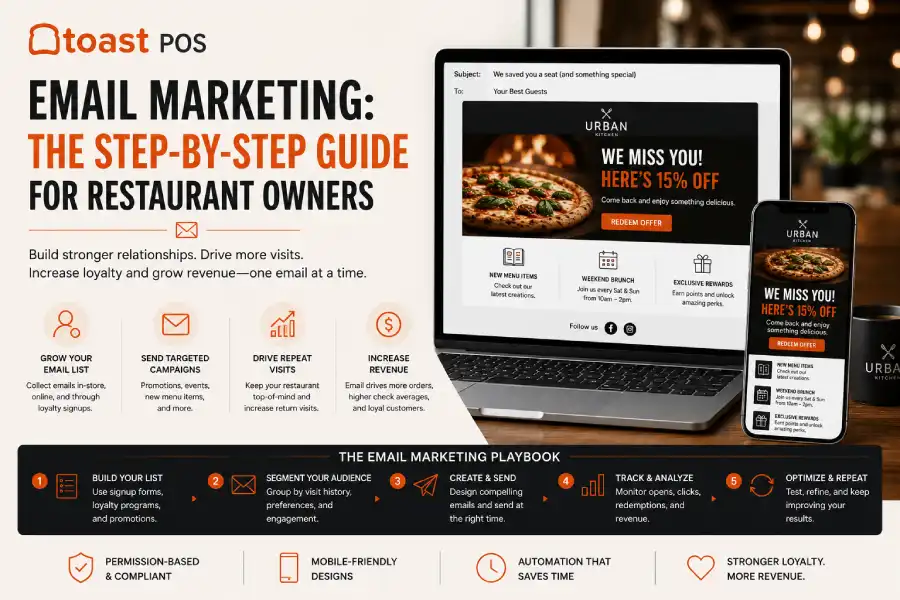
With an optimized Toast POS Email Marketing configuration, you can turn that quiet mountain of guest data into an active, automated revenue stream. This definitive, step-by-step playbook covers everything you need to know to launch your first high-converting campaign, organize your subscriber segments, and build an automated system that drives consistent repeat covers.
What Is Toast POS Email Marketing?
Toast POS Email Marketing is a fully embedded customer relationship management (CRM) and digital communication tool designed explicitly for the hospitality industry. Unlike generic marketing software (such as Mailchimp or Constant Contact) that requires tedious manual file exports, CSV uploads, and complex third-party tracking extensions, this platform is built natively directly inside your restaurant’s core system.
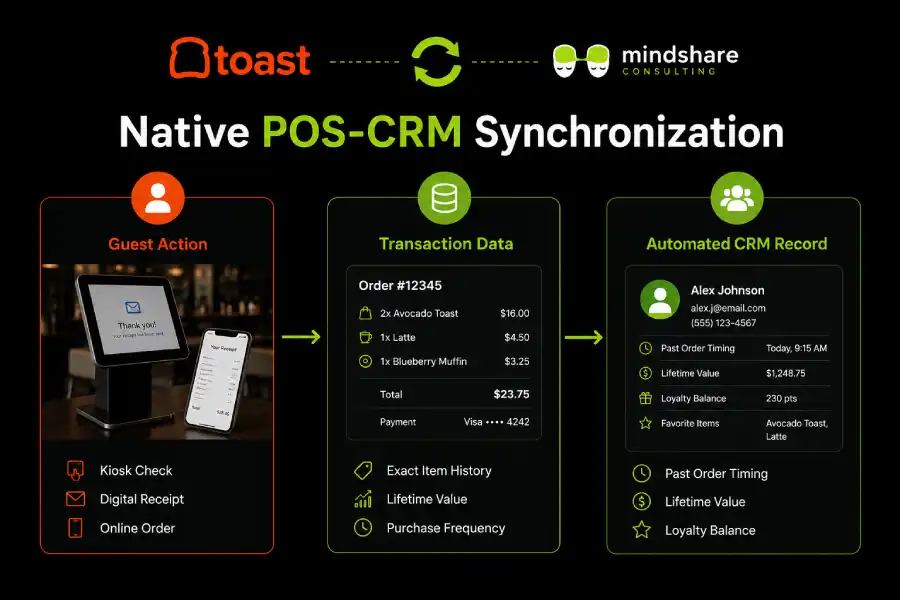
Because it lives inside your POS ecosystem, the platform monitors customer spending habits automatically. It notes exactly what items they enjoy, how frequently they visit, which location they frequent, and when they suddenly stop ordering. This deep integration allows you to build highly personalized, automated campaigns that generic email services simply cannot match.
Step 1: Initialize Your Core Marketing Infrastructure
Before sending your first digital message, you must configure your core platform parameters and confirm that your legal and structural settings are aligned for maximum deliverability.
- Access the Marketing Suite: Log in to your central administrative dashboard. Using the left-hand navigation menu, click Marketing and select Email Marketing > Dashboard.
- Review Billing and Authorization: If you haven’t activated the marketing suite yet, follow the prompts to choose your tiered subscription plan based on your active database size.
- Establish Your Sender Profiles: Navigate to your Settings tab. Set up your default “From Name” (e.g., Chef Mario | The Artisan Bistro) and your “From Email Address.”
- Authenticate Your Domain: To prevent your messages from dropping straight into spam filters, work with your hosting provider to verify your domain using standard SPF, DKIM, and DMARC text records. Authenticating your custom domain proves to major inbox providers that your restaurant’s emails are legitimate and secure.
Step 2: Manage and Clean Your Customer Database
A successful email campaign depends entirely on the health of your list. Sending messages to unverified users or ignoring spam indicators will damage your sender reputation, making it harder for your emails to reach the primary inbox.
1. Identify Your Subscriber Pools
Your system automatically groups your contacts into three distinct, native audience classifications based on how they interact with your business:
- Loyalty Members: High-value customers who have actively opted into your rewards program.
- Online Ordering Customers: Guests who provided an email address while checking out via your digital web portals or mobile app interfaces.
- Digital Receipt Users: In-store guests who opted to receive a summary of their bill via email at a tableside terminal or payment counter.
2. Configure Your Default Audience Filters
Go to Audience > Contacts to manage your subscriber lists. Use the native database filters to identify unengaged records or invalid email syntaxes. Make it a regular habit to archive bounced addresses or profiles that haven’t opened an email from you in over six months. Keeping your subscriber list lean and highly active boosts your engagement metrics and ensures you are only paying for contacts who actually want to dine with you.
Step 3: Build and Style Your Core Campaign Layout
The system features a streamlined drag-and-drop template designer created specifically to make restaurant promotion fast and intuitive.
- Start a New Campaign: From your main dashboard, click the green Create Campaign button. Choose whether you want to design an on-demand broadcast or an automated lifecycle trigger.
- Select Your Theme Layout: Choose a pre-built structural blueprint that fits your primary goal (such as promoting a weekend special, announcing a menu update, or offering a loyalty bonus).
- Customize Your Branding Elements: Upload your restaurant’s high-resolution logo to the header slot. Use hex codes that match your official style guide to align the background tones, border accents, and button colors with your brand identity.
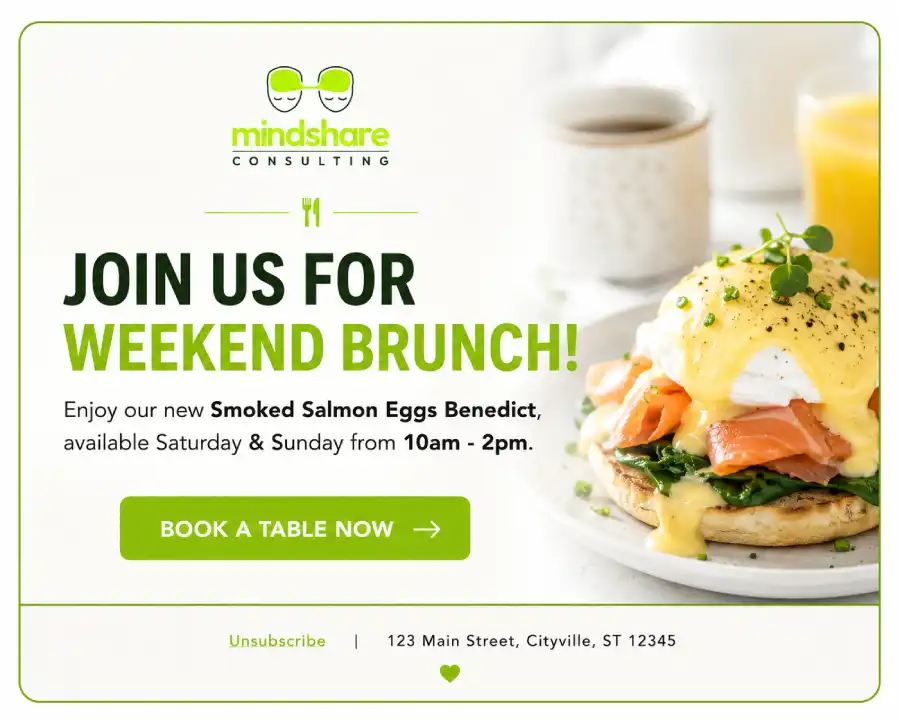
- Write Compelling, Focus-Driven Copy: Keep your text blocks clear and concise. Write a short, engaging description of your menu update, and add an appetizing photo of your featured dish.
- Insert an Unmissable Call to Action (CTA): Drop a clear, high-contrast button into the center of your design. Link it directly to your native ordering pages, table reservation platforms, or event booking sites using clean tracking URLs.
Step 4: Utilize Behavioral Database Segmentation
One of the most common mistakes in restaurant marketing is sending the exact same blast email to your entire database. A customer who buys a lunch salad three times a week requires a completely different approach than a guest who only visits your lounge for late-night cocktails on the weekend.
Take advantage of your platform’s built-in filtering options to divide your audience into highly targeted behavioral segments:
The “Miss You” Win-Back List
Set up a dynamic audience filter that groups any customer who has placed at least one previous order but hasn’t returned or made a purchase in the last 60 days. Sending a tailored campaign specifically to this group—featuring an enticing subject line like “We miss you at the table! Enjoy $10 off your next visit”—is one of the fastest ways to recover lagging revenue.
The Order Channel Segment
Separate your online delivery customers from your core dine-in regulars. This allows you to run hyper-focused promotions, such as sending an exclusive code for free delivery directly to home-ordering clients on a rainy Tuesday evening without confusing your in-house guests.
Step 5: Test, Schedule, and Comply with Legal Guidelines
Before sending your campaign to thousands of diners, you must double-check your formatting and verify that your communication is fully compliant with modern privacy laws.
- Send a Preview Test Email: Click the Send Test button and enter your personal email address. Open the message on both a desktop computer and a mobile phone to confirm that your images display correctly, your fonts are legible, and your checkout links function perfectly.
- Verify Anti-Spam Compliance: Under consumer protection statutes (such as the CAN-SPAM Act), your email footers must automatically include a valid physical mailing address for your business and a functional, one-click unsubscribe mechanism. The native editor locks these elements into your footer automatically, never attempt to hide or remove them.
- Execute or Schedule Your Launch: Once your formatting looks perfect, select your target audience segment. You can send the blast immediately or use the scheduling tool to program delivery for an optimized future window, such as Thursday afternoon at 2:00 PM to capture weekend dining planning.
Step 6: Review Performance Analytics and Optimize Over Time
A few days after your email goes live, navigate back to Email Marketing > Reports to analyze how well your campaign performed. The integrated reporting dashboard breaks down your key metrics clearly:
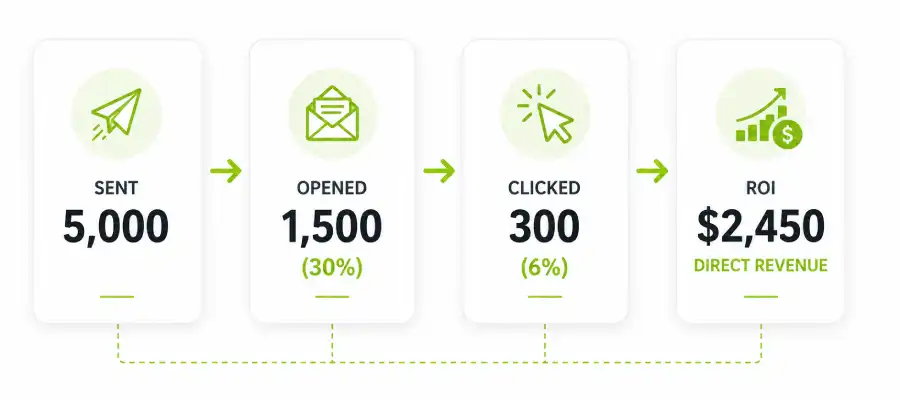
Open Rate: The percentage of recipients who opened your message. If this number is low, experiment with punchier, shorter subject lines or adjust your delivery timing.
- Click-Through Rate (CTR): The percentage of readers who clicked your call-to-action button. If this metric drops, make your buttons larger, position them higher up in your layout, or make your promotional offer more compelling.
- Trackable Sales Revenue: Because your marketing tool links directly to your checkout registers, the analytics panel displays the exact dollar amount of online and in-store orders generated by your campaign. Use this transparent financial reporting to measure your true return on investment (ROI).
The Ultimate Growth Strategy: Building a Multi-Channel Marketing Engine
While launching email campaigns is an exceptional foundation for customer retention, enterprise-level growth requires combining multiple digital channels into a cohesive, automated machine.
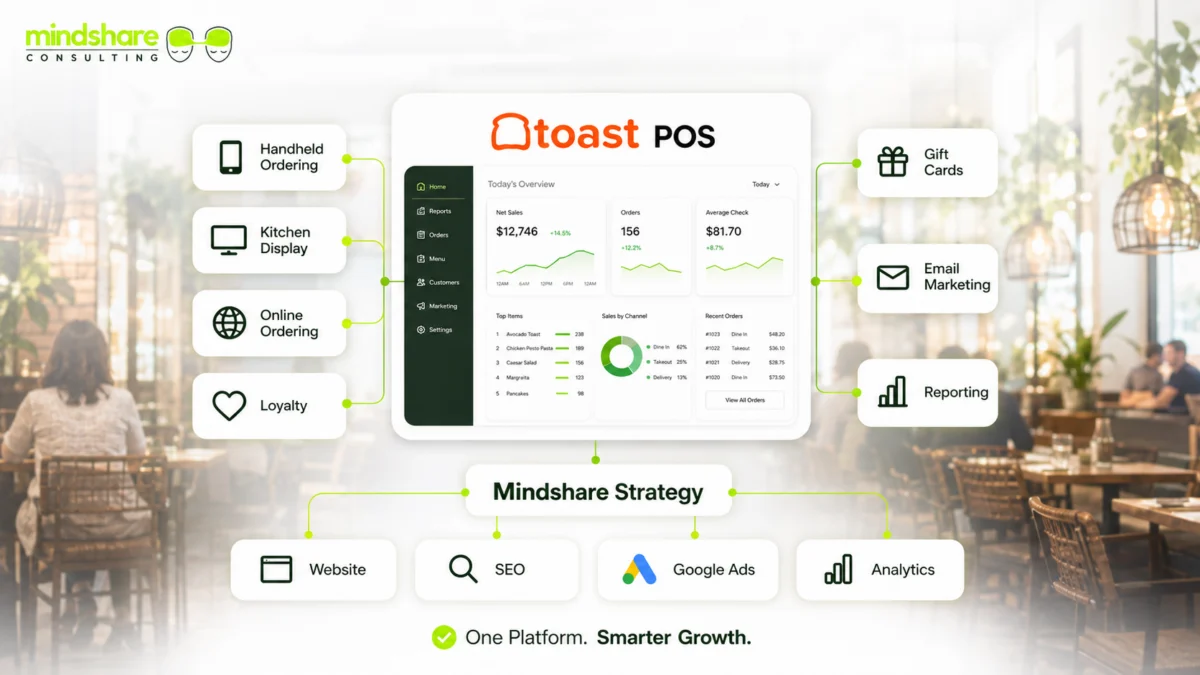
Once your database tools are capturing consistent user insights, you can amplify your conversions by matching them with a professionalToast POS Website Development Strategy to optimize your online ordering traffic. From there, maximize your customer acquisition with a structuredToast POS Rewards Setup to drive loyalty registration, and use real-timeToast SMS Marketing Campaigns to fill empty tables instantly during off-peak shifts.
Stop Leaving Your Customer Retention to Chance
Your restaurant’s data is sitting on a wealth of untapped revenue potential. Let the specialized data and engineering teams at Mindshare Consulting handle the technical details for you, from complex API integrations and list hygiene to custom automated conversion workflows.Connect with our restaurant specialists today to book your complimentary growth review and transform your transactional records into a predictable revenue engine.
n
Part of the Toast POS Growth Series. Start with the hub guide: Toast POS Website Development for Restaurants.