

The Complete Guide to Online Ordering for Restaurants in 2026
Off-premise orders now make up close to 75% of all restaurant traffic, and third-party delivery apps quietly take 30-40% of that revenue once every fee is counted. This guide covers how to build, launch, and actually market a direct online ordering system that keeps that margin in your restaurant instead.
Every restaurant already has online ordering in some form, whether that’s a POS-native ordering page, a link buried three clicks deep on the website, or total dependence on DoorDash and Uber Eats. The difference between a restaurant that treats online ordering as an afterthought and one that treats it as a real revenue channel usually comes down to seven decisions, covered in order below.
What Makes a Good Online Ordering System
Before comparing platforms, it helps to know what “good” actually looks like. A strong restaurant online ordering setup does four things at once: it loads and checks out fast on a phone, it talks directly to your POS and kitchen display so nothing gets keyed in twice, it supports Apple Pay and Google Pay so guests can check out in one tap, and it’s married to your actual menu pricing instead of a stale PDF copy. Miss any one of these and the ordering page quietly loses guests who bounce back to a delivery app that gets the basics right.
The number one reason people default to delivery apps over a restaurant’s own site is that their card is already saved and checkout is one tap. A slow or clunky direct ordering page doesn’t lose on price, it loses on friction, and that’s a fixable problem, not a permanent one.
How to Set Up Online Ordering for Your Restaurant
1. Choose the Right Ordering Platform
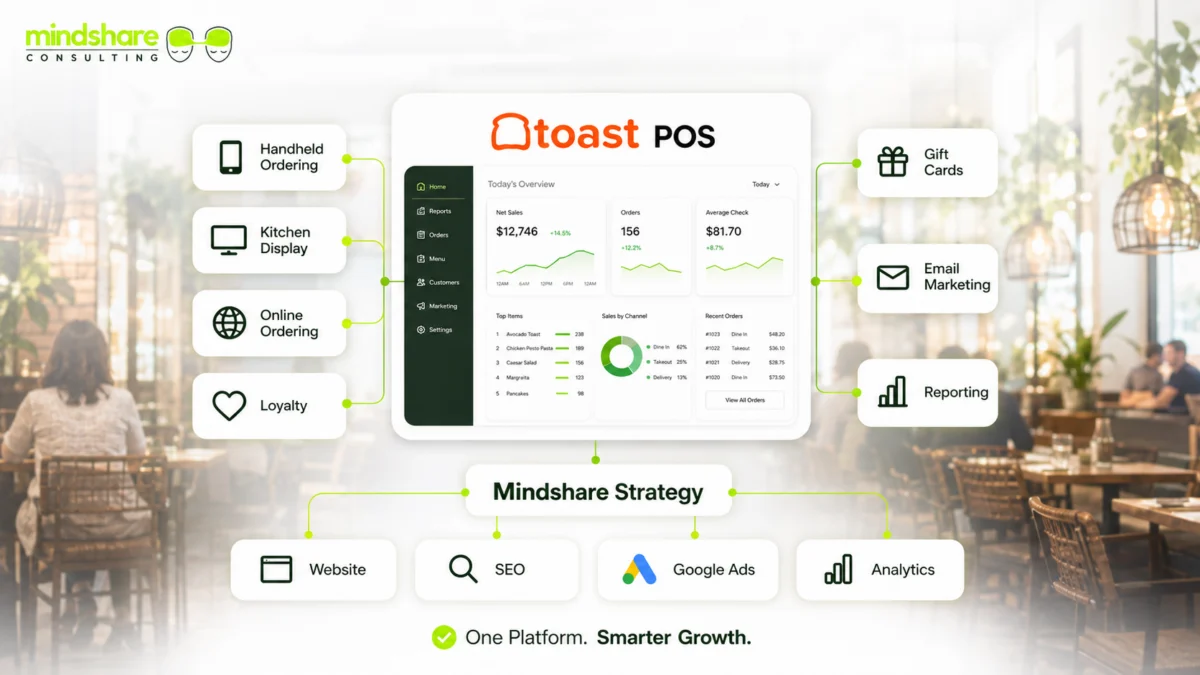
Most restaurants choose between a POS-native ordering system (Toast, Square, Clover all include one) and a standalone ordering platform layered on top of an existing POS. POS-native ordering usually wins on kitchen integration and reporting; standalone platforms sometimes win on design flexibility. We cover the tradeoffs across the major restaurant POS platforms in detail in our POS comparison guide if that decision is still open.
2. Build a Menu That’s Actually Designed to Convert
An online ordering menu is not the same document as your printed dine-in menu. Long descriptions that read beautifully on paper create scroll fatigue on a phone. The practical fix: lead each category with your highest-margin items, keep descriptions to one clean sentence, and use real photography on your best sellers, since items with photos consistently outperform items without them in online ordering data across POS platforms.
3. Decide on Delivery: First-Party vs. Third-Party
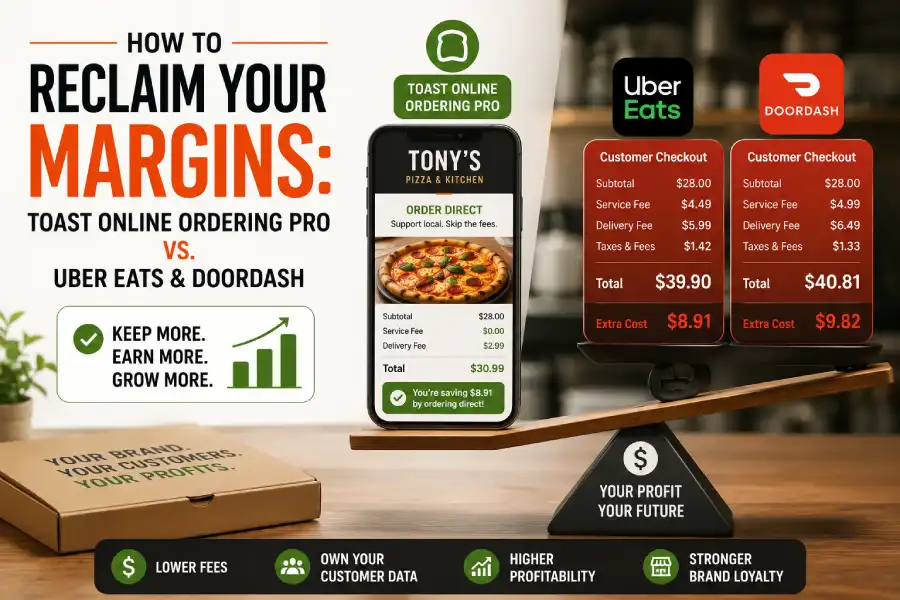
This is the highest-leverage decision in the whole setup. Third-party marketplaces (DoorDash, Uber Eats, Grubhub) bring you new customers you’d never reach otherwise, but at a real cost that frequently lands at 30-40% of the order once promotions and advertising placement fees are included. First-party ordering through your own website keeps that margin, but only reaches guests who already know to look for it. Most restaurants need both, used for different jobs: third-party for acquisition, first-party for retention. We break down the exact math behind this decision, plus the migration playbook for moving repeat customers off delivery apps, in our Toast Online Ordering optimization guide.
4. Design the Off-Premise Guest Experience
Packaging that survives a 20-minute drive, clear pickup signage, and a dedicated curbside process all affect whether a to-go order becomes a repeat order. This is easy to under-invest in because it never shows up as a line item the way ad spend does, but a soggy container or a confusing pickup counter costs a restaurant repeat guests just as surely as a bad ad campaign would.
5. Market the Ordering Page Like a Real Product
An ordering page that only your regulars know exists isn’t capturing new demand. In-bag flyers with a QR code, a homepage banner instead of a buried footer link, and direct outreach to your existing customer database all drive incremental orders. Email and SMS are especially effective here since they reach people who’ve already ordered before. Our email marketing guide and SMS marketing guide cover the exact segmentation and cadence that turns a customer database into recurring direct orders.
6. Train Staff on the Fulfillment Workflow
Online orders that print on the same ticket printer as dine-in orders, with no visual distinction, are a recipe for missed or delayed pickups. A clearly separated queue, a named pickup station, and a staff member responsible for timing (not whoever happens to be free) all reduce the single biggest driver of bad online-ordering reviews: an order that wasn’t ready when the guest arrived.
7. Track Performance and Improve
Most restaurants can tell you their total online ordering revenue but not which ads or pages actually drove it, because their tracking breaks the moment a guest leaves the restaurant’s website for the ordering platform’s separate subdomain. Fixing that cross-domain tracking gap is the difference between guessing at what’s working and actually knowing. Our conversion tracking guide walks through the exact GA4 and Meta Pixel setup that recovers this missing data.
Online Ordering Best Practices
- Keep the menu simple and easy to navigate. Too many categories and modifiers slow down mobile checkout and increase abandoned carts.
- Make ordering fast and frictionless. Guest accounts should be optional, not required, and Apple Pay/Google Pay should be available at checkout.
- Integrate ordering with your POS. Manually re-keying online orders into the kitchen system is where delays and mistakes start.
- Build in order accuracy checks. A simple confirmation screen showing every modifier reduces the single most common source of online-order complaints.
- Use upsells strategically, not aggressively. A single relevant add-on prompt at checkout converts; five unrelated upsell popups just slow down the sale.
- Set ordering hours based on real kitchen capacity, not just store hours, so the kitchen never gets buried under online tickets during a dine-in rush.
- Optimize pickup and delivery logistics separately. Curbside pickup and delivery driver staging need their own space and process, not a shared afterthought by the front door.
The Real Cost of Getting This Wrong
Off-premise orders already make up close to 75% of restaurant traffic, a trend we cover in more depth in our 2026 restaurant industry statistics roundup. Every one of those orders that defaults to a third-party app instead of a restaurant’s own ordering page is revenue quietly leaking out at 30-40% commission. A restaurant that fixes its direct ordering experience isn’t just adding a new channel, it’s recapturing margin on a majority of its existing transaction volume.
Ready to Build (or Fix) Your Online Ordering Setup?
Mindshare Consulting Inc helps restaurants design, launch, and market direct online ordering systems, from menu conversion and POS integration to the email, SMS, and tracking that turn a first-time order into a repeat one.
FAQs
What is the best online ordering system for restaurants?
The best system depends on your existing POS and service model. POS-native ordering (Toast, Square, Clover) usually wins on kitchen integration, while standalone platforms can offer more design flexibility. The right choice is the one that talks directly to your kitchen display without manual re-entry.
Should restaurants use third-party delivery apps or their own ordering page?
Most restaurants need both, used for different jobs. Third-party apps are effective for reaching new customers who don’t yet know your restaurant. A direct ordering page keeps far more margin on repeat orders from guests who already know you.
How much does online ordering actually cost a restaurant?
Direct, POS-integrated online ordering typically costs a small flat processing fee. Third-party delivery marketplaces typically charge 15-30% in advertised commission, though the effective cost after promotions and advertising fees often lands closer to 30-40% of the order.
How do I get customers to use my restaurant’s own ordering page instead of delivery apps?
In-bag QR code flyers, loyalty perks reserved for direct orders, a visible homepage link instead of a buried one, and email/SMS campaigns to your existing customer list are the most effective, lowest-cost ways to shift repeat orders toward your own ordering page.
Can Mindshare Consulting Inc help set up online ordering?
Yes. Mindshare Consulting Inc helps restaurants choose an ordering platform, design a conversion-focused ordering menu, set up GA4 and Meta Pixel tracking, and build the email/SMS campaigns that grow direct order volume.