

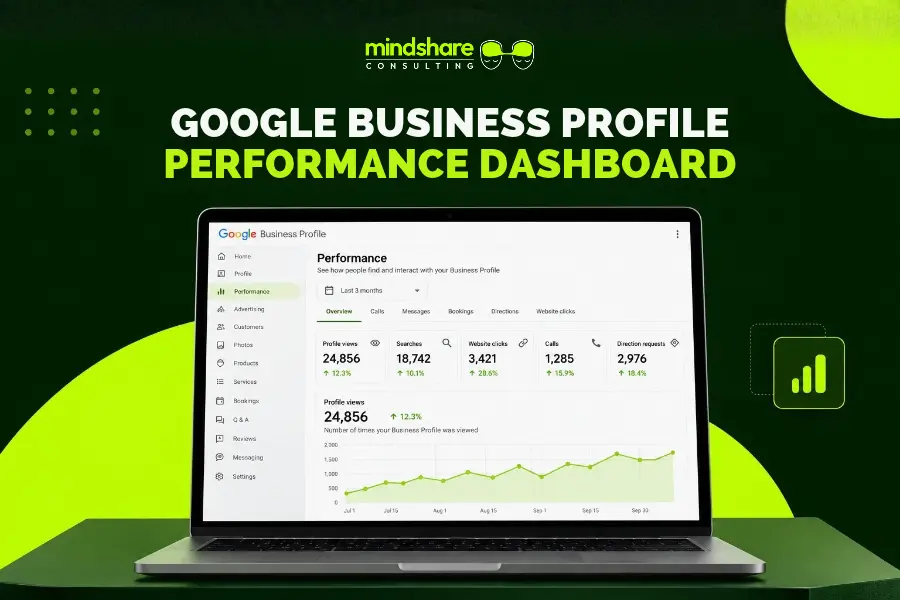

Introduction: Your Google Business Profile Data Tells a Story
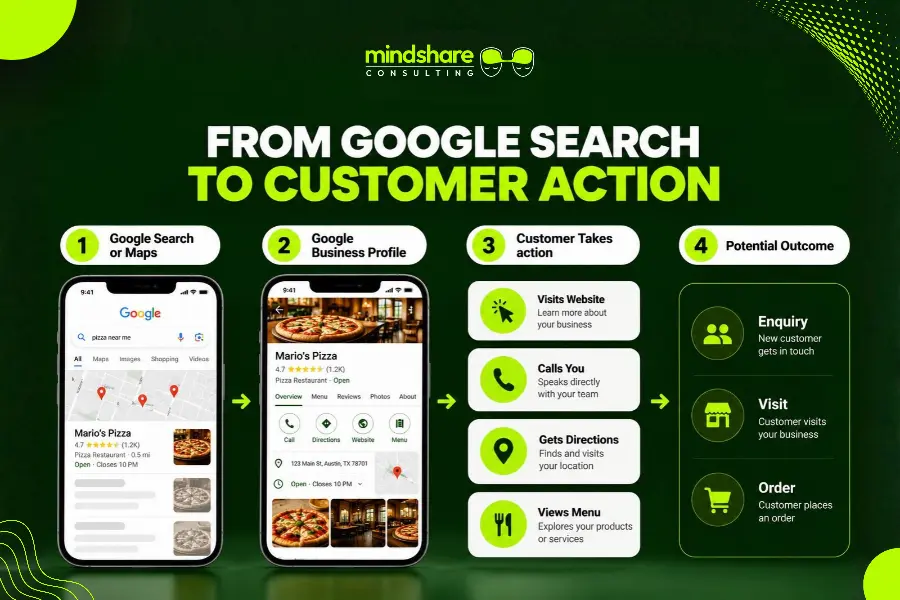
When someone searches for a restaurant, contractor, professional service, or local business, Google is often the first place they turn. Before visiting a website or making a call, they may check your location, business hours, photos, reviews, and services directly through Google Search or Google Maps.
But how do you know whether your Google Business Profile is actually helping your business attract customers?
The answer lies in your profile’s Performance report.
This dashboard shows how people discover your business on Google and what actions they take after finding your profile. It can reveal whether people are visiting your website, requesting directions, clicking to call, or searching for specific products and services associated with your business.
The challenge is knowing how to interpret those numbers. A rise in profile views might look encouraging, but if customer actions remain unchanged, there could be an opportunity to improve your profile or website.
In this guide, we’ll explain how to read your Google Business Profile performance data, identify common problems, and turn those insights into practical marketing decisions.
1. Where to Find Your Google Business Profile Performance Report
Start by signing in to the Google account associated with your verified Business Profile.
You can access your profile through Google Search or Google Maps. Select your business and look for the Performance option. From there, choose a date range to review the available data.
Google may display different metrics depending on your business category, profile setup, and available features.
For a more useful analysis, compare two equivalent periods instead of looking at a single month’s numbers. For example, compare September with August or compare September this year with September last year.
This helps you identify trends and account for seasonal changes that might otherwise lead to misleading conclusions.
2. Understand the Google Business Profile Metrics That Matter
Not every metric has the same business value. The most useful way to evaluate performance is to understand what each number measures and what it can—and cannot—tell you.
Profile Views: How Many People Are Finding Your Business?
Views help you understand how often people view your Business Profile on Google Search and Maps.
If views are increasing, your business may be receiving more attention on Google. However, views alone do not tell you whether those people are potential customers, whether your local rankings improved, or whether revenue increased.
What to do with the data:
- Compare views across equivalent time periods.
- Investigate sudden increases or declines.
- Review other metrics to see whether increased visibility leads to customer actions.
- Consider seasonality, promotions, advertising, and changes in demand before attributing a trend to SEO.
For example, a restaurant might see more profile views during a local festival. That increase is useful, but it should not automatically be interpreted as a permanent improvement in organic visibility.
Search Queries: What Are People Searching For?
Google Business Profile reporting can show search terms associated with your business. These queries offer clues about the products, services, and local needs that bring people to your profile.
A restaurant might discover that people search for its cuisine, a particular dish, catering, or a nearby neighborhood. A home services company might find searches related to a specific repair or installation service.
These terms can help you identify opportunities to make your website and profile information more relevant to what customers need.
What to do with the data:
- Identify relevant queries that align with your actual services.
- Look for customer needs that are not clearly addressed on your website.
- Review your business categories and eligible service listings.
- Create useful website content for services that deserve more visibility.
- Compare query trends over time rather than relying on one isolated search term.
Remember that the search-query report is not an exhaustive keyword list. You cannot directly control every query that appears, and a missing term does not necessarily mean your business is invisible for that search.
For a broader approach to improving local search visibility, read our guide to restaurant SEO and Google Maps optimization.
Customer Interactions: Are People Taking Action?
Interactions are particularly important because they help connect profile visibility with customer intent.
Depending on your profile, Google may report actions such as calls, website clicks, direction requests, bookings, or menu interactions.
These actions indicate that someone engaged with your listing, but they do not necessarily confirm that a sale, appointment, or visit occurred.
What to do with the data:
- Compare total interactions with profile views.
- Identify which customer actions are increasing or declining.
- Check whether your contact information and links are accurate.
- Use website analytics and business records to understand what happens after the initial interaction.
For example, a local restaurant may receive more menu clicks but no corresponding increase in online orders. That could indicate an opportunity to improve the ordering experience, clarify menu information, or make the next step easier to find.
Calls: Are Potential Customers Trying to Reach You?
Call clicks measure how often people select the call option on your profile. They do not necessarily represent completed or answered calls.
A decline in call clicks may be worth investigating, especially if calls are an important source of new business.
What to do with the data:
- Confirm that your listed phone number is correct.
- Check that business hours are accurate.
- Review whether common questions are answered clearly on your profile and website.
- Compare call-click trends with your actual phone records when available.
If customers repeatedly call to ask about basic details such as hours, parking, service availability, or reservations, improving the information available online may reduce unnecessary friction.
Website Clicks: What Happens After Someone Leaves Google?
Website clicks measure visits initiated through the website link on your Business Profile.
This metric matters because it connects local search visibility with your website experience. However, a website click is not the same as a lead or conversion.
A visitor may explore your services, submit a form, place an order, leave immediately, or return later through another channel.
What to do with the data:
- Check whether visitors land on the most relevant page.
- Review mobile usability and page-loading performance.
- Make your phone number, booking options, contact form, or ordering button easy to find.
- Use Google Analytics 4 (GA4) to investigate engagement and conversions after the click.
You can also connect your Business Profile with Google Analytics to bring profile interaction data into your broader measurement workflow. Learn more in Google’s official guide to connecting Business Profile with Google Analytics.
For restaurants, this is particularly useful when customers move from a Google listing to a menu, reservation page, catering page, or online ordering system.
Direction Requests: Are People Looking for a Route to Your Location?
Direction requests indicate that users requested directions to your business through Google.
For businesses that depend on in-person visits, this can be a useful indicator of local intent. It does not prove that every person arrived or made a purchase.
What to do with the data:
- Check your address and map pin for accuracy.
- Compare direction requests with in-store traffic where records are available.
- Review changes in operating hours, location access, or local demand.
- Look for consistent trends across several reporting periods.
A restaurant that receives more direction requests during a promotion may be attracting greater interest. Comparing that trend with actual transactions helps establish whether the campaign contributed to business results.
Menu Clicks, Bookings, and Other Available Actions
Some profiles display additional metrics, depending on the business type and enabled features. Restaurants may have menu-related interactions, while eligible businesses may have booking-related metrics.
These actions can be especially valuable when they reflect a meaningful step toward becoming a customer.
For example, a catering company might monitor website visits to its catering page, while a restaurant may focus on menu interactions and online ordering activity.
Choose the metrics that match your business goals rather than trying to optimize every number in the dashboard.
3. How to Interpret the Data and Identify What Needs Improvement
The real value of Google Business Profile reporting comes from comparing metrics and investigating the relationships between them.
Here are four common scenarios and how to respond.
Scenario 1: Views Are Increasing, but Customer Actions Are Not
Your profile is attracting more attention, but calls, website clicks, and direction requests are not growing at the same pace.
This does not automatically mean your profile is underperforming. The additional views may come from less relevant searches, seasonal demand, or customers who do not need to take immediate action.
What to do next:
- Review the search terms associated with your profile.
- Check whether your business information answers common customer questions.
- Ensure your primary category, services, hours, photos, and links are accurate.
- Evaluate whether the profile clearly communicates what makes your business relevant to local customers.
The goal is to improve the quality of the customer experience, not simply to chase more clicks.
Scenario 2: Website Clicks Are Growing, but Leads or Orders Are Not
This is where your analysis needs to move beyond Google Business Profile.
The profile may be doing its job by sending visitors to your website, but the website may not be helping them complete the next step.
What to do next:
- Review GA4 landing-page and conversion reports.
- Check whether the landing page matches the service or product customers searched for.
- Test your website on mobile devices.
- Make forms, booking links, phone numbers, and ordering buttons easy to use.
- Check for broken links, confusing navigation, or unexpected checkout steps.
If you need to improve the website experience as part of your overall marketing strategy, explore Mindshare’s website design services.
Scenario 3: Relevant Search Queries Are Not Appearing
Suppose a business offers catering, but its available search-query data does not show many catering-related terms.
Before assuming there is a ranking problem, check whether catering is clearly described on the website and included in the appropriate profile information.
What to do next:
- Review your eligible business categories and service information.
- Make sure your website has useful, relevant content about catering.
- Create a dedicated catering page if the service warrants one.
- Link to that page from appropriate places, including your profile where supported.
- Monitor relevant query and website traffic trends over time.
Do not add irrelevant keywords or repeat location names unnaturally. Your information should accurately reflect the services you provide and the areas you serve.
Scenario 4: Performance Drops Compared with the Previous Month
A decline in views or interactions deserves investigation, but it does not automatically mean your SEO has failed.
Performance can change because of seasonality, shifts in customer demand, local competition, profile edits, operating-hour changes, or other factors.
What to do next:
- Confirm that you are comparing equivalent time periods.
- Check whether the decline affects all metrics or only specific actions.
- Review search queries, website analytics, and relevant campaign activity.
- Verify that your profile is accurate and accessible.
- Make a targeted change only after identifying a plausible cause.
Avoid changing multiple profile elements at once without a clear reason. A more controlled approach makes it easier to understand which actions helped.
4. Connect Google Business Profile Data With Your Website Analytics
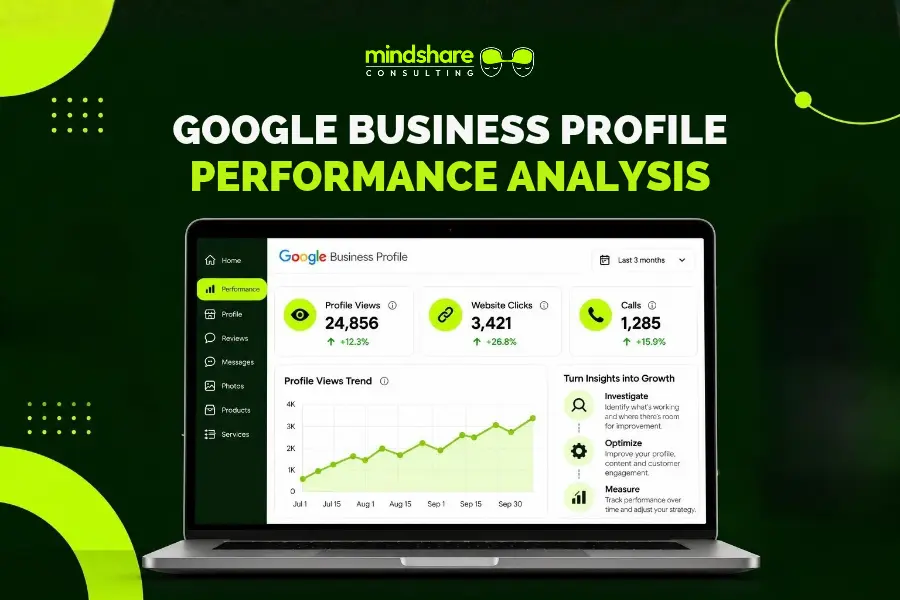
Google Business Profile reporting provides useful information about how people interact with your listing. To understand what happens next, combine it with website analytics and, where possible, your business’s sales or enquiry records.
Google offers a way to connect eligible Business Profiles with Google Analytics. This can help bring profile interaction data into your broader reporting workflow.
You can also use campaign-tagged website links where supported to help identify visits originating from your profile.
For example, a tracked website URL might look like this:
https://www.example.com/?utm_source=google&utm_medium=organic&utm_campaign=google_business_profile
Replace the example domain with your own website and apply consistent tracking conventions. If you use a booking or online ordering platform, verify that tracking works across the full customer journey.
With a properly configured GA4 setup, you can investigate:
- Website sessions associated with your profile.
- Landing pages visitors view.
- Enquiry form submissions.
- Calls or booking actions recorded by your website, where tracking is available.
- Online purchases and revenue, when ecommerce tracking is correctly implemented.
Keep one distinction in mind: Google Business Profile reports clicks and other profile actions, while GA4 measures activity on your website or app. Neither system necessarily identifies every customer or attributes every sale perfectly.
For a more complete picture, compare the two data sources with actual business outcomes.
5. Build a Simple Monthly Google Business Profile Review
You do not need to spend hours studying every report. A consistent monthly review is often a better starting point than occasional, large-scale audits.
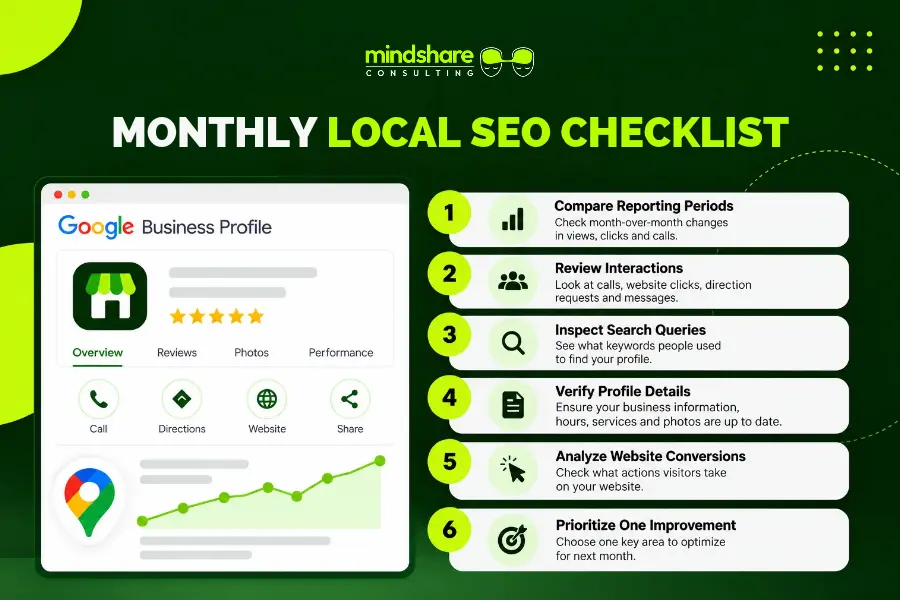
Use the following checklist to keep your analysis focused.
Step 1: Compare the right periods.
Review the current month against the previous month and, when useful, the same month last year. Account for seasonal changes and unusual events.
Step 2: Review visibility and interactions together.
Look at profile views, search activity, and the customer actions available for your business. Determine whether visibility and interactions are moving in the same direction.
Step 3: Check the search queries.
Identify relevant searches that may suggest new content opportunities or gaps in how your services are presented.
Step 4: Check profile accuracy.
Verify business hours, contact details, categories, service information, photos, and links. Update anything that is outdated or incorrect.
Step 5: Investigate website performance.
If website clicks are important to your business, review the landing pages and conversions associated with those visits.
Step 6: Choose one priority for improvement.
Decide which issue deserves attention first. Record the change you make and review its results during your next reporting cycle.
This approach makes your monthly review more useful because every change has a purpose and an outcome you can evaluate.
6. Turn Performance Insights Into a Stronger Local SEO Strategy
Google Business Profile performance data is most useful when it informs your wider marketing strategy.
A profile can help people discover a business, but long-term growth may also depend on website quality, local search relevance, reputation management, content, and the ease with which potential customers can take the next step.
For restaurants, that may mean keeping menu information accurate, helping customers find the right location, improving the online ordering experience, and making catering or reservation options easy to access.
For other local businesses, the priority might be clearer service pages, stronger location-specific content, more useful contact information, or a simpler enquiry process.
Mindshare Consulting helps businesses connect local visibility with the rest of their digital marketing strategy. Our restaurant marketing solutions bring together services designed to support restaurant visibility, customer engagement, and growth. Businesses looking for broader local search support can also explore our Austin SEO services.
The right strategy depends on what the data shows, the customers you want to reach, and the outcomes that matter most to your business.